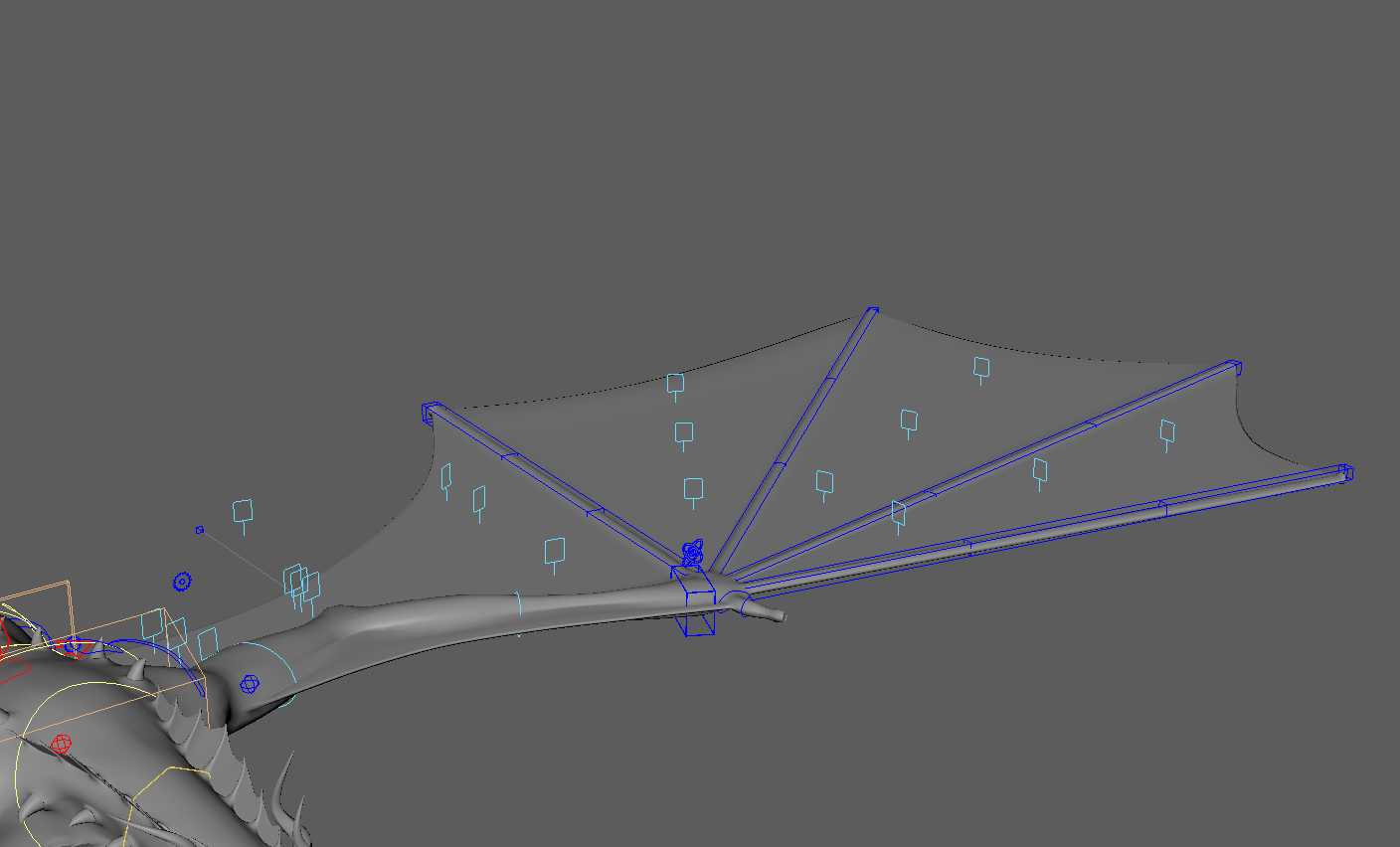
FIG 01 — WING RIG IN THE MAYA VIEWPORT
Rigging organic wings is one of the most complex tasks in creature setups. The challenge lies in creating a system that folds naturally, preserves volume, and remains performant. For this dragon project, I developed a modular Python tool that generates the entire setup automatically.
The core of the system relies on matrix nodes (blendMatrix, aimMatrix, pickMatrix) rather than traditional constraints, ensuring a robust and evaluation-friendly rig.
1. The matrix-driven phalanges
The finger structure needs to handle both FK and IK logic. Instead of heavy orient constraints, I used aimMatrix nodes to drive the orientation of guides and joints — stable aiming vectors that don't flip easily.
# dragon_falanges.py snippet
for i in range(len(self.guides)-1):
    aim_matrix = cmds.createNode("aimMatrix", name=f"{self.side}_{name}_AMX")

    # Setup primary and secondary axis
    cmds.setAttr(aim_matrix + ".primaryInputAxis", *self.primary_aim_vector, type="double3")
    cmds.setAttr(aim_matrix + ".secondaryInputAxis", *self.secondary_aim_vector, type="double3")

    # Connect matrices directly (no constraints)
    cmds.connectAttr(order[i][0] + ".worldMatrix[0]", aim_matrix + ".inputMatrix")
    cmds.connectAttr(order[i][1] + ".primaryTargetMatrix", aim_matrix + ".primaryTargetMatrix")
FK / IK switching
To handle the switch, I used blendMatrix nodes. This blends the world matrix of the FK chain and the IK chain directly, feeding the result into the skinning joints — cleaner than blending individual translate/rotate/scale channels.
2. The membrane (webbing) logic
The most difficult part of a wing is the skin between fingers. It needs to stretch linearly when fingers open and relax when they close. I solved this by calculating the weighted center between two fingers using wtAddMatrix — a virtual mid-point that stays perfectly centered regardless of hierarchy.
# membran_module.py - calculating the mid-point
mid_position = cmds.createNode("wtAddMatrix", name=f"..._WTM")

# Connect both finger matrices
cmds.connectAttr(joint_one + ".worldMatrix[0]", mid_position + ".wtMatrix[0].matrixIn")
cmds.connectAttr(joint_two + ".worldMatrix[0]", mid_position + ".wtMatrix[1].matrixIn")

# Weight them equally (0.5) to find the center
cmds.setAttr(mid_position + ".wtMatrix[0].weightIn", 0.5)
cmds.setAttr(mid_position + ".wtMatrix[1].weightIn", 0.5)
3. Surface attachment with UV pins
To drive the actual geometry, I generated a NURBS surface based on the finger positions. Instead of pointOnSurfaceInfo nodes (which can be slow), I used Maya's UV Pin nodes to attach micro-joints to specific U/V coordinates — as the surface moves, the joints follow perfectly in tangent space.
# Generating UV pins dynamically
for i in range(u_row):
    for index in range(v_row):

        # Normalize the coordinates based on row count
        u_val = float(i) / (u_row - 1)
        v_val = float(index) / (v_row - 1)

        cmds.setAttr(f"{uv_pin}.coordinate[{count}].coordinateU", u_val)
        cmds.setAttr(f"{uv_pin}.coordinate[{count}].coordinateV", v_val)

        # Connect to joint offset
        cmds.connectAttr(f"{uv_pin}.outputMatrix[{count}]", f"{joint}.offsetParentMatrix")
Conclusion
By scripting this process, I can iterate on the resolution of the wing (number of micro-joints) without manually rebuilding constraints. The use of matrix nodes ensures the rig runs at high frame rates, even with complex deformation layers.
Future improvements could include a collision layer on the membrane using simple Euclidean distance checks within the Python script to drive blendShapes.